ICT239 Tutor-Marked Assignment
This assignment is worth 24% of the final mark for ICT239 – Web Application Development
The cut-off date for this assignment is Tuesday, 06 October 2026, 2355hrs.
Answer all questions. (Total 100 marks)
Question 1
Learning objectives:
- Develop a HTML/CSS and Python web framework program
- Apply programming methods to present information in HTML
- Employ web programming framework for developing website
This question focuses on the functions provided to each type of user account: non-authenticated and authenticated (admin and customer).
(a) Products, Search Products by Category and Product Details pages
(i) Products
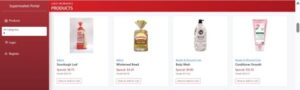
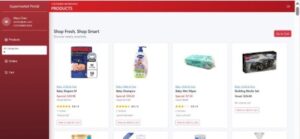
This function allows all users, including users who are not logged in, to browse all products. Refer to Figure Q1(a) (i) (1). The Products page is also the home page.
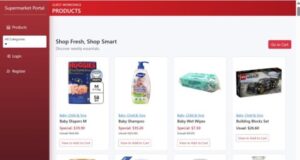
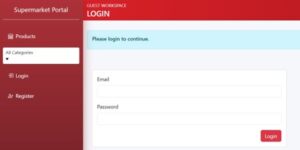
If the button Go to Cart is clicked, the user will be directed to a Login page since the user has not logged in yet and hence, cannot use the shopping cart feature. Refer to Figure Q1(a) (i) (2).
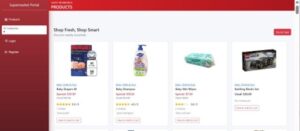
If you implement the feature to allow customers to add rating and review to ordered items as described in Question 2(b), then each reviewed products in the Products page will include the average rating and the newest review. Refer to Figure Q1(a) (3).
(ii) Search product by category using the category link on a listed product or using a dropdown list on the sidebar
To show only products of a certain category, click on the category link for a listed product in the Product page. Refer to Figure Q1(a) (ii) (1) for the category links shown in blue, e.g., Bakery or Beauty & Personal Care.
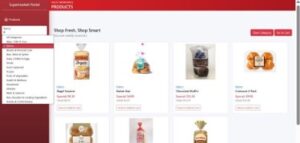
Alternatively, users can select a category from the dropdown list to show only products of the selected category. You may apply the code below on the dropdown list such that when an item from the dropdown list is selected, a HTTP request will be sent to the backend via a form action.
<select … onchange=”this.form.submit()”>
Notice an extra button, Clear Category has appeared in the Product page, as shown in Figure Q1(a) (ii) (2). This happens whenever a product category has been selected.
When the Clear Category button is selected, the Product page reverts to showing products from all categories as before, as shown in Figure Q1(a) (i) (2).
(iii) Product Detail
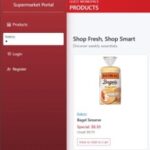
When the View to Add to Cart button in the Product page, styled with a red border in Figure Q1(a) (iii) (1), is clicked, the Product Detail page shows up. Refer to Figure Q1(a) (iii) (2).
As the user is not logged in yet, a Login to Buy button is made available to the user to log into the application if she so decides to purchase the product. Note that there is also a Login link in the sidebar for the user to log in.
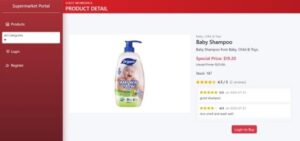
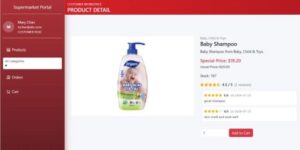
If you implement the feature to allow customers to add rating and review to ordered items as described in Question 2(b) and if the selected product in the Product Detail page has been reviewed, then the page will display the newest 10 reviews and the average of all ratings given to the product. Refer to Figure Q1(a) (iii) (3).
Figure Q1(a) (iii) (2): The product in the Product Detail page with aerage ratings and newest 10 reviews
(25 marks)
(b) Register, Login and Logout
(i) Register
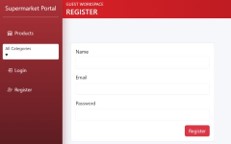
The function allows two types of users to register – admin and customer. Refer to Figure Q1(b) (i) for the Register page. This function requires registered emails to be unique. Include all other validations that you think should be applicable. If there is an error, flash an appropriate error message and return to the Register page. Otherwise, proceed to the Login page.
Create an admin user account (admin@abc.com, password 12345, name Admin, role admin). You may assume that only user account with the email admin@abc.com is given the role admin. All other emails will create user accounts with customer role.
Create two user accounts (poh@abc.com, password 12345, name Peter Oh and mchan@abc.com, password 12345, name Mary Chan).
(ii) Login
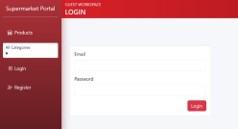
The login function allows registered users to log in. Refer to Figure Q1(b) (ii) (1) for the Login page. If there is an error such as the email is unregistered or the password is incorrect, flash an appropriate error message and return to the Login page. Otherwise, proceed to the Products page.
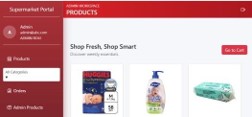
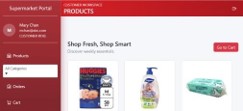
Refer to Figure Q1(b) (ii) (2) and Figure Q1(b) (ii) (3) for the differences in the sidebar and the top panel of pages for admin and customer roles.
If the admin user clicks on the button Go to Cart, he sees a flashed error message as an admin user does not have a shopping cart. The admin user remains on the same page.
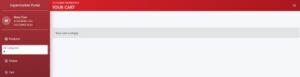
However, if a customer clicks on the same Go to Cart button, she sees the current content of her shopping cart, which happens to be empty at the moment. Refer to Figure Q1(b) (ii) (4).
(i) Logout
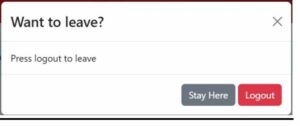
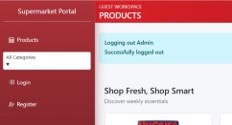
Upon logging out, the user is directed back to Product page with flashed messages.
Apply responsive web design, similar to staycation application, in your implementation of all pages in Question 2 and 3 so that they can adapt to various screen sizes.
You must apply jinja and jinja inheritance in your implementation and use the data in the variables data.py provided. Do NOT hardcode the product or category data in the html pages.
Remember to indicate the relevant file(s) for the implementation and to extract small chunk of code to provide explanation of your code design and/or purpose. Do likewise for all your implementations to avoid losing marks awarded for explanation.
(10 marks)
(Total Q.1 – 35 marks)
Question 2
Learning objectives:
- Apply programming methods to present information in HTML
- Employ web programming framework for developing website
This question focuses on the functions provided to each type of user account: admin and customer.
(a) Add to Cart, Cart and Adjust Quantity for cart item
(i) Add to Cart
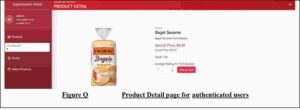
When an authenticated user clicks on the View to Add to Cart button for a listed product in the Product page, he gets a Product Detail page similar to that shown in Figure Q1(a) (i) (1) or Q1(a) (i) (3). However, the page now has a button Add to Cart instead of Login to Buy button because the user has already logged in.
If the admin user clicks on the button Add to Cart, he is directed back to the Product page with a flashed error message as admin user does not have a shopping cart.
However, if the user is a customer, the product and quantity selected are added to her shopping cart. Return to the Product page and flash a message each time an item is added to the shopping cart.
(ii) Cart and Adjust Quantity for cart item
A customer can view her shopping cart by clicking on the link Cart or the button Go to Cart in the Products page. An example of the Cart page is shown in Figure Q2(a) (ii)(1).
Notice that a Checkout button has been added to the Cart page. Contrast this page with a page with an empty cart, as shown in Figure Q1(b) (ii) (4). That page does not have a Checkout button.
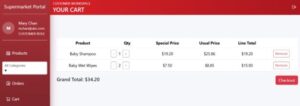
A customer can increase or decrease the quantity of each item in her shopping cart by clicking on the button + or button -. Refer to Figure Q2(a) (ii) (1). An item in the shopping cart is removed when the quantity reaches zero or when the Remove button against the item is clicked.
(20 marks)
(b) Checkout and Order page
(i) Checkout
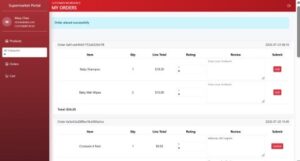
If the Checkout button on the Cart page is clicked, the items in the customer’s shopping cart are added to a new order for the customer if the cart items can be fulfilled. The stock level of products should be decreased accordingly. The application then proceeds to the Order page which shows all orders of that customer, sorted according to checkout dates. Refer to Figure Q2(b) (1). A flashed message is shown that an order has been successfully placed. In addition, her shopping cart is emptied.
If the cart items cannot be fulfilled, flash the first cart item that cannot be fulfilled and return to the Cart page.
(ii) Order page and Handling Reviews
On her Order page, a customer can select a rating and enter a review for each ordered item and then click on the Add button. Refer to Figure Q2(b) (i) (1). The rating and review can subsequently be updated by modifying them in the Order page and then clicking on the Update button.
All ratings given to a product should be used to compute the average rating of the product. The average rating is then displayed on the Products page as well as the Product Detail page. Only the newest review will show in the Products page, but all reviews for a product will show in its Product Detail page. Refer to Figure Q2(b) (ii) (2) and Figure Q2(b) (ii) (3).
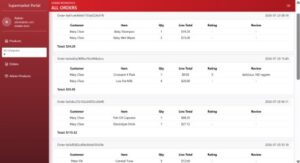
The Order function is also available to the admin user. If the admin user clicks on the link Order, he sees the orders that belong to all customers, sorted also according to checkout dates. Refer to Figure Q2(b) (ii)(4). An admin user cannot update any part of an order, and that include the ratings and reviews.
(35 marks)
(c) Admin Products
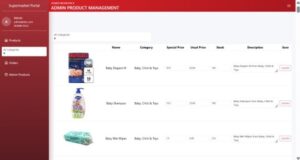
The admin user can update the details of products via the Admin Products page, shown in Figure Q3(c). The application should include sanity checks on the input values.
(10 marks)
(Total Q.2 – 65 marks)
—- End of TMA Paper —-
Looking For Help With Your ICT239 Web Application Development TMA?
Native Singapore Writers Team
- 100% Plagiarism-Free Essay
- Highest Satisfaction Rate
- Free Revision
- On-Time Delivery